Data Science with Python: A Look at the Top 10 Libraries You Need to Know
Top 10 Python Libraries for Data Science: A Quick Guide to Download, Install and Learn" provides a brief overview of the most popular Python libraries for data science such as NumPy, Pandas, Scikit-learn, Matplotlib, etc.
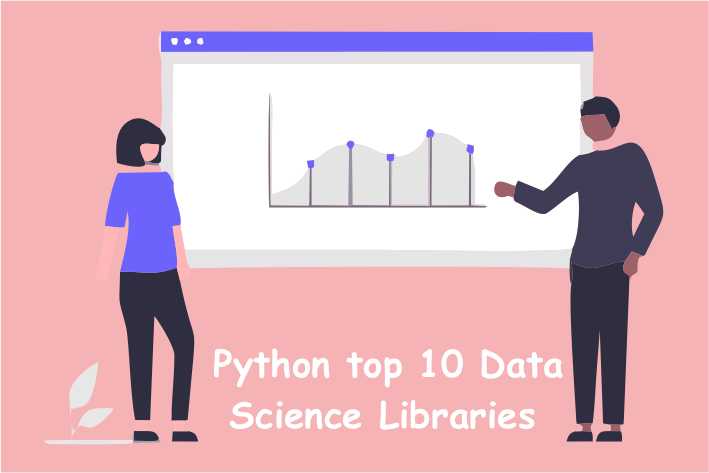

Data Science with Python: A Look at the Top 10 Libraries You Need to Know
Data Science with Python: A Look at the Top 10 Libraries You Need to Know" is an overview of the most popular and useful libraries for data science in Python. It provides a detailed guide to downloading and installing these libraries for different operating systems, along with reference links for further reading and documentation. The article also includes a brief description of each library and examples with output, step-by-step tutorials to help users get started with using these libraries for data science tasks. The article covers libraries like NumPy, Pandas, Scikit-learn, Matplotlib, Seaborn, Plotly, TensorFlow, PyTorch, Keras, and NLTK. The article is aimed at data scientists, machine learning engineers, and beginners who are interested in learning data science with Python.
NumPy: a library for the Python programming language, adding support for large, multi-dimensional arrays and matrices, along with a large collection of high-level mathematical functions to operate on these arrays.
- Installation for Windows:
pip install numpy - Installation for Mac/Linux:
pip3 install numpy - Reference: https://numpy.org/doc/stable/
- Usage: NumPy is often used for array operations, mathematical computations and linear algebra. For example, you can use it to create a 2D array, perform matrix multiplication and calculate the determinant of a matrix.
- Installation for Windows:
import numpy as np
a = np.array([[1, 2], [3, 4]])
b = np.array([[5, 6], [7, 8]])
np.dot(a, b)

# Output: [[19 22], [43 50]]
Pandas: a library providing easy-to-use data structures and data analysis tools for the Python programming language.
- Installation for Windows:
pip install pandas - Installation for Mac/Linux:
pip3 install pandas - Reference: https://pandas.pydata.org/pandas-docs/stable/
- Usage: Pandas is commonly used for data manipulation, cleaning and analysis. For example, you can use it to create a DataFrame, perform groupby operations and join multiple DataFrames.
- Installation for Windows:
import pandas as pd
df = pd.DataFrame({'Name': ['John', 'Marry', 'Mike'], 'Age': [20, 22, 25]})
df.groupby('Age').size()

# Output: Age
# 20     1
# 22     1
# 25     1
# dtype: int64
Matplotlib: a plotting library for the Python programming language and its numerical mathematics extension NumPy.
- Installation for Windows:
pip install matplotlib - Installation for Mac/Linux:
pip3 install matplotlib - Reference: https://matplotlib.org/stable/contents.html
- Usage: Matplotlib is often used for creating static, animated and interactive visualizations. For example, you can use it to create line plots, scatter plots and histograms.
- Installation for Windows:
import matplotlib.pyplot as plt
x = [1, 2, 3, 4, 5]
y = [2, 4, 6, 8, 10]
plt.plot(x, y)
plt.show()
Seaborn: a library for making statistical graphics in Python. It is built on top of matplotlib and closely integrated with the data structures from pandas.
- Installation for Windows:
pip install seaborn - Installation for Mac/Linux:
pip3 install seaborn - Reference: https://seaborn.pydata.org/
- Usage: Seaborn is often used for creating attractive and informative statistical graphics. For example, you can use it to create box plots, violin plots and heatmaps.
- Dataset : Alternatively, you can download the iris dataset from the UCI Machine Learning Repository (https://archive.ics.uci.edu/ml/datasets/iris) in various format such as csv, data and others. Also, you can find many other datasets for different use cases on that website.
- Installation for Windows:
import seaborn as sns
import matplotlib.pyplot as plt

# Load the iris dataset
iris = sns.load_dataset("iris")

# Create a pairplot of the dataset
sns.pairplot(iris, hue="species")

# Show the plot
plt.show()
Scikit-learn: a library for machine learning in Python. It features various classification, regression and clustering algorithms including support vector machines, random forests, gradient boosting, k-means, etc.
- Installation for Windows:
pip install scikit-learn - Installation for Mac/Linux:
pip3 install scikit-learn - Reference: https://scikit-learn.org/stable/documentation.html
- Usage: Scikit-learn is often used for building predictive models, performing model selection and evaluation. For example, you can use it to train a linear regression model, evaluate its performance and make predictions.
- Installation for Windows:
from sklearn.linear_model import LinearRegression
from sklearn.metrics import mean_squared_error
X = [[1, 1], [2, 2], [3, 3], [4, 4], [5, 5]]
y = [1, 2, 3, 4, 5]
reg = LinearRegression().fit(X, y)
reg.predict([[6, 6]])

# Output: [6.]
Keras: a high-level neural networks API, written in Python and capable of running on top of TensorFlow, CNTK, or Theano.
- Installation for Windows:
pip install keras - Installation for Mac/Linux:
pip3 install keras - Reference: https://keras.io/
- Usage: Keras is often used for building, training and evaluating deep learning models, such as convolutional neural networks and recurrent neural networks. For example, you can use it to define, compile and fit a multi-layer perceptron model for binary classification.
- Installation for Windows:
from keras.models import Sequential
from keras.layers import Dense
model = Sequential()
model.add(Dense(units=64, activation='relu', input_dim=100))
model.add(Dense(units=10, activation='softmax'))
model.compile(loss='categorical_crossentropy', optimizer='sgd', metrics=['accuracy'])
TensorFlow: an open-source machine learning framework for building and deploying machine learning models. It provides a comprehensive ecosystem of tools for developing and deploying machine learning models.
- Installation for Windows:
pip install tensorflow - Installation for Mac/Linux:
pip3 install tensorflow - Reference: https://www.tensorflow.org/
- Usage: TensorFlow is often used for building, training and evaluating deep learning models, such as convolutional neural networks and recurrent neural networks. For example, you can use it to create a linear regression model with multiple inputs and outputs.
- Installation for Windows:
Example of using TensorFlow in Python to create a simple linear regression model:

import tensorflow as tf
import numpy as np

# Creating the dataset
X = np.random.rand(100).astype(np.float32)
Y = X * 0.1 + 0.3

# Creating the model
W = tf.Variable(tf.random_uniform([1], -1.0, 1.0))
b = tf.Variable(tf.zeros([1]))
y = W * X + b

# Defining the loss function
loss = tf.reduce_mean(tf.square(y - Y))

# Using Gradient Descent optimizer
optimizer = tf.train.GradientDescentOptimizer(0.5)
train = optimizer.minimize(loss)

# Initializing the variables
init = tf.global_variables_initializer()

# Creating a session and running the model
with tf.Session() as sess:
    sess.run(init)
    for step in range(201):
        sess.run(train)
        if step % 20 == 0:
            print(step, sess.run(W), sess.run(b))
Matplotlib: a plotting library for the Python programming language and its numerical mathematics extension NumPy. It provides an object-oriented API for embedding plots into applications using general-purpose GUI toolkits like Tkinter, wxPython, Qt, or GTK.
- Installation for Windows:
pip install matplotlib - Installation for Mac/Linux:
pip3 install matplotlib - Reference: https://matplotlib.org/stable/contents.html
- Usage: Matplotlib is often used for creating static, animated, and interactive visualizations in Python. For example, you can use it to create a line plot of a mathematical function.
- Installation for Windows:
import numpy as np
import matplotlib.pyplot as plt
x = np.linspace(0, 10, 100)
y = np.sin(x)
plt.plot(x, y)
plt.show()
Seaborn: a data visualization library based on Matplotlib. It provides a high-level interface for drawing attractive and informative statistical graphics.
- Installation for Windows:
pip install seaborn - Installation for Mac/Linux:
pip3 install seaborn - Reference: https://seaborn.pydata.org/
- Usage: Seaborn is often used for creating statistical plots, such as violin plots, box plots, and heatmaps. For example, you can use it to create a scatter plot with regression line, and set color and style of the points and lines.
- Installation for Windows:
import seaborn as sns
import pandas as pd
df = sns.load_dataset('iris')
sns.scatterplot(x='sepal_length', y='sepal_width', hue='species', data=df)
plt.show()
Plotly: an interactive, open-source, and browser-based graphing library for Python. It allows creating and sharing interactive, publication-quality plots.
- Installation for Windows:
pip install plotly - Installation for Mac/Linux:
pip3 install plotly - Reference: https://plotly.com/python/
- Usage: Plotly is often used for creating interactive, web-based plots and dashboards. For example, you can use it to create a 3D scatter plot and customize the style and behavior of the plot.
- Installation for Windows:
import plotly.express as px
data = px.data.gapminder()
fig = px.scatter_3d(data, x='gdpPercap', y='lifeExp', z='pop', color='continent', size='year', hover_name='country')
fig.show()
Please note that some of the libraries may have other dependencies which should be installed before installing the library itself. Also, the links may change over time, so please check the official website for the latest information.
Conclusion: in conclusion, Python is a powerful tool for data science and machine learning, and there are many libraries available that can help make the process of working with data easier and more efficient. The libraries discussed in this article are just a few of the most popular and widely used options, but there are many other libraries available that can be used for specific tasks or types of data. By learning how to use these libraries and understanding the capabilities they offer, data scientists and developers can take advantage of the many powerful tools that Python has to offer to perform complex data analysis and machine learning tasks with ease.

DigitalOcean Sign Up : If you don't have a DigitalOcean account yet, you can sign up using the link below and receive $200 credit for 60 days to get started: Start your free trial with a $200 credit for 60 days link below: Get $200 free credit on DigitalOcean ( Note: This is a referral link, meaning both you and I will get credit.)
Latest From PyDjangoBoy
👩💻🔍 Explore Python, Django, Django-Rest, PySpark, web 🌐 & big data 📊. Enjoy coding! 🚀📚